OBS Studio has long been a staple in the world of screen recording and live streaming, but as technology evolves, so do the needs of users. In 2025, there are several outstanding alternatives that offer unique features and advantages. One such remarkable alternative is LosslessRec, a one - stop screen recording solution that is revolutionizing the way we capture content.

Why Look for OBS Studio Alternatives?
While OBS Studio is a powerful open - source tool, it may not be the perfect fit for everyone. Some users find its interface complex and difficult to navigate, especially beginners. Additionally, it can be resource - intensive, causing performance issues on less powerful systems. There's also a lack of certain specialized features out - of - the - box that many content creators, gamers, and educators require. This has led to a search for alternatives that are more user - friendly, offer better performance, and come with a broader range of features.
Top 1: LosslessRec 😍
LosslessRec records the screen, webcam, microphone, and system audio through dedicated Windows capture modes. Its published specifications include high-resolution inputs, multiple frame-rate choices, and compatible hardware acceleration. Actual results depend on the source, computer, encoder, storage, and selected quality settings.
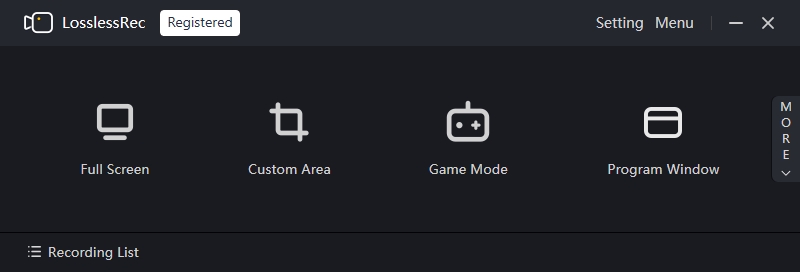
- - Record microphone and system sound simultaneously or separately
- - A built-in video editing tool
- - Set personal watermark and add cursor effects
- - Take a screenshot as you like
- - Scheduled recording, Segmented recording, and Auto-record
Key Features:
Top 2. Bandicam 🙂
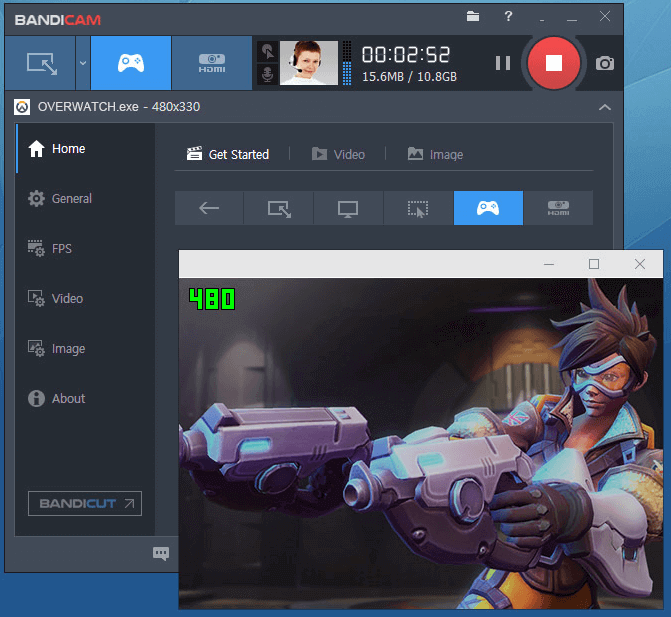
Bandicam is a game recording software for Windows only. People choose it because this recording tool can record in Ultra HD resolution, up to 120 frames per second, which is pretty much the best quality you can achieve at the moment.However, some users have reported some lag when starting and stopping video recording with Bandicam. Like OBS, it does not offer any editing tools. If you want to make your recorded videos perfect, then you can download Bandicut, an editing software from the same manufacturer as Bandicam.
Top 3. Camtasia 🙂
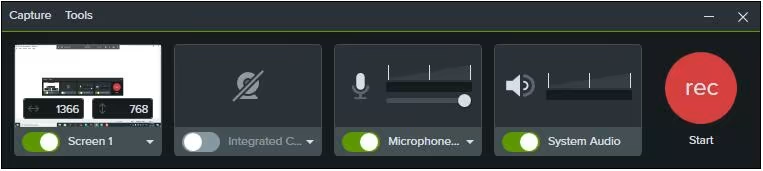
Camtasia is one of the most expensive screen capture and recording software. It is also one of the best OBS Studio alternatives. As an all-in-one video recording software, it offers a full set of editing options.You can use it to create almost perfect videos. This screen recording software is pricey, but that doesn’t stop it from being the best software in the industry.
Many professional video creators are happy with Camtasia. This is the best choice if you need powerful editing software as well as a capturing tool.
Top 4. CamStudio 🙂
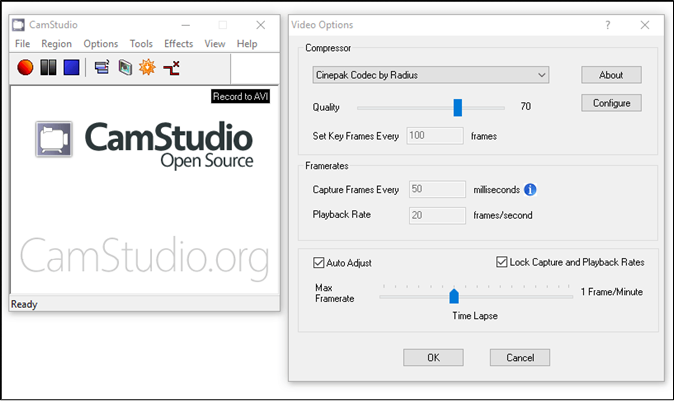
Similar to OBS Studio, CamStudio is also a free open-source screenshot program.That’s why we list it as one of the best OBS Studio alternatives. You can use it to record any screen and audio activity on your computer.CamStudio also allows you to easily add screen captions and overlay your webcam video on top of whatever else you are recording. Because it uses its lossless codec, it can produce clear videos with small file sizes.However, it should be noted that it is only available for Windows. if you wish to use some advanced features like setting watermarks, automatic recording, etc., then the paid software is a better choice.
Top 5. ShareX 🙂
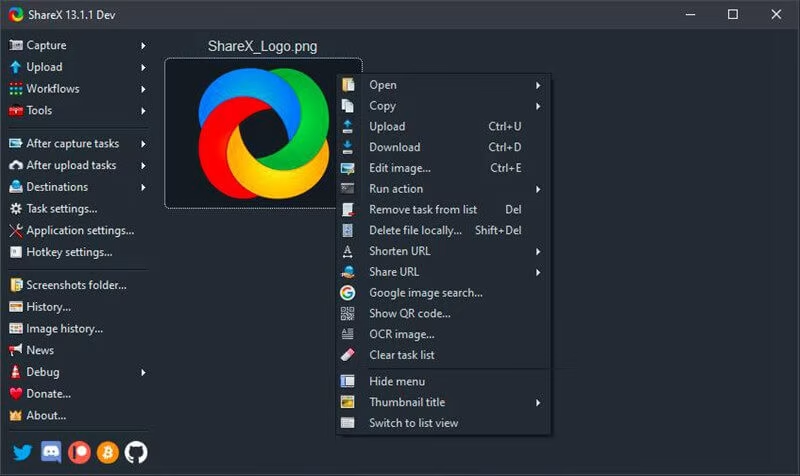
ShareX is a free, open-source, and ad-free tool. It is only available for Windows users.There are several screen recording methods available, including full screen, window, custom area, and active window. In addition to that, you can set a timer to capture the screen and decide whether to capture the cursor or not.A unique feature of this software is scroll capture, which allows you to capture the screen as you scroll down the page.
Who is it best suited for? Windows users who want a simple, easy-to-use free OBS alternative, of course.
Conclusion
In 2025, if you're in search of an OBS Studio alternative that offers high - quality recordings, versatility, and a range of unique features, LosslessRec should be at the top of your list. Its ability to cater to different user needs, from gamers to educators and content creators, makes it a must - try software. Say goodbye to the limitations of OBS Studio and embrace the future of screen recording with LosslessRec.
See how LosslessRec fits your workflow.
Review the public features and trial limits, then test the capture mode, sound sources, and performance on your own Windows PC.
Trial limits apply. Record only content you own or are authorized to capture.